
AI Integration Services for the Systems You Already Run
Web Mavens adds AI to software you already own: your web application, ERP, CRM, customer portal or internal tools. Our AI integration services connect models such as GPT, Claude and Gemini to your data and workflows through a secure, provider-independent layer, so your team uses AI inside the screens they already work in, not in a separate browser tab. SOC 2 Type II certified, HIPAA compliant, and building production software since 1996.
- No rebuild: AI is added to your current codebase one feature at a time
- Your data stays in your environment and is never used to train public models
- Switch AI providers later without rewriting your application
- Fixed-price proof of concept before any larger commitment
4.9/5 from 349+ clientsSOC 2 Type IIHIPAA CompliantOfficial Laravel Partner


What Are AI Integration Services for Your Business?
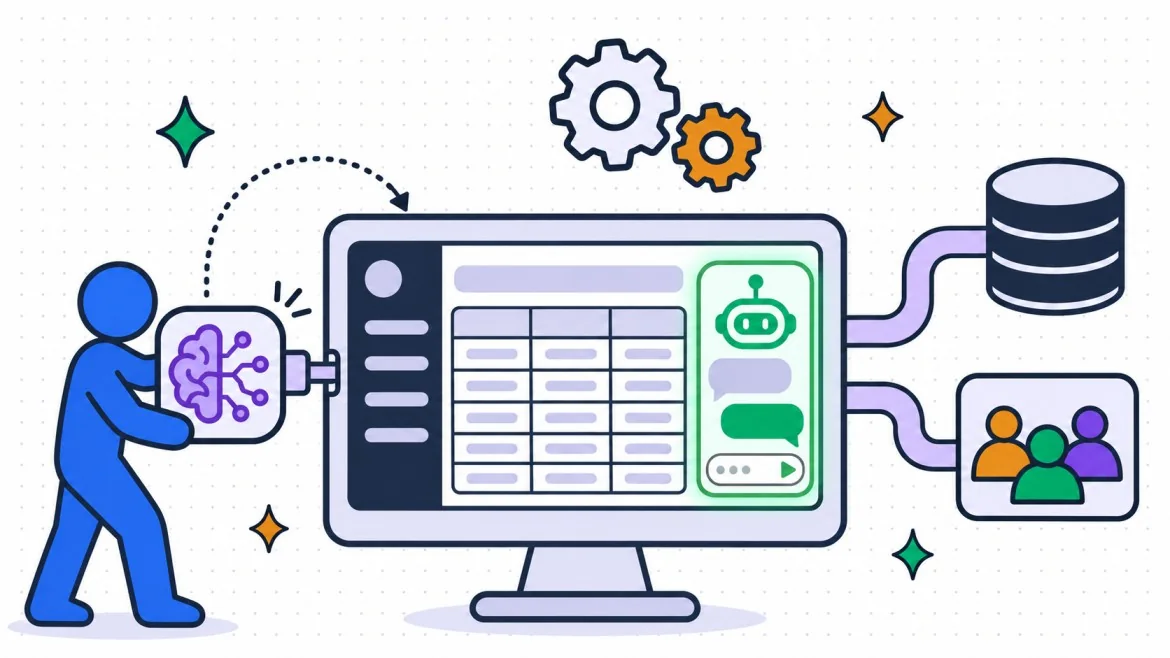
AI integration services connect artificial intelligence models to the software, data and processes a business already runs, so AI features work inside existing applications instead of in a standalone tool. A typical integration adds record summaries, reply drafting, smart search, document data extraction or a built-in assistant to a product or internal system. It uses your own data and respects the user permissions you already have.
Integration is different from building a new AI product. You keep your application, your database and your users; we add an AI layer beside them. If you are building a new AI-first product instead, our AI development company page covers that work.
How AI integration works inside your systems
Every integration we build follows the same request path, whatever the use case:
- A user action or system event triggers a request: a button click, a form submit, a new record, an inbound email.
- Your backend sends the request to an AI layer we add alongside your code, not inside your database.
- The AI layer fetches only the records that user is allowed to see, adds instructions, and calls the model.
- The response is checked for format, safety and confidence, logged with its cost, and returned to your application.
- If the model is slow or unavailable, a fallback keeps the feature working.

Signs your systems are ready for AI integration
- Your team copies text between your system and ChatGPT or another AI tool to get work done
- Documents, tickets, emails or notes pile up faster than anyone can read them
- Your application has an API, or a database we can safely read from
- Users spend time searching for information that already exists in your system
- Repetitive writing (replies, summaries, product descriptions, reports) follows a recognizable pattern
- There is a specific number AI should move: handle time, response time, error rate or conversion
If two or more apply, an integration is likely to pay back. If none do, we will tell you that on the first call.
Why Invest in AI Integration Now?
Most teams already use AI, just not inside their own systems. Staff paste customer data into public chat tools, the results never make it back into the record, and nobody can see what it costs. Integration fixes all three by putting AI where the work and the data already live.
AI Inside the Tools Your Team Uses
Suggestions, drafts and answers appear in the screen where the task happens. No copy, paste or tab switching.
No Rebuild Required
We add AI to your current codebase through its existing APIs and service layer. Your application keeps running while we work.
Your Data Stays in Your Environment
Data is processed through private, enterprise model endpoints or models hosted in your own cloud, never through consumer chat tools.
Switch AI Models Freely
A provider-independent layer means you can move from one model to another when prices drop or quality improves, without touching application code.
People Stay in Control
Higher-risk actions wait for human approval. Every AI output is logged, traceable and reversible.
AI Costs You Can See
Usage is tracked per feature, per team and per customer, with budgets and alerts before anything runs away.
Which AI Integration Approach Should You Start With?
Most integrations use one of four patterns. The right starting point depends on where the value sits: in a single feature, in a conversation, in a multi-step process, or across many applications.
API Integration Into Existing Features
Add AI to a screen or action that already exists: summarize a record, draft a reply, classify an incoming request, extract fields from an uploaded document. The smallest change with the fastest payback, and the right first project for most teams.
Embedded Chatbot or Copilot
An assistant inside your application that answers from your own content and data, with source citations and permission checks. Useful for customer portals, support teams and internal knowledge. It uses retrieval-augmented generation (RAG), so answers come from your documents, not from the model's general knowledge.
Workflow and Agent Integration
AI that acts across several steps: it reads an email, checks the order system, drafts a response, waits for approval, then updates the CRM. Every action is logged, and higher-risk steps need a human sign-off. For standalone back-office automation, see our AI automation services.
AI Gateway and Middleware
A shared AI layer for companies running several applications. It gives you one place for model access, credentials, prompt versions, cost limits, logging and data redaction. Every application calls AI through the gateway instead of calling providers directly.
Six Problems AI Integration Solves
Staff Paste Customer Data Into Public AI Tools
Problem: Your team already relies on AI, but through personal accounts, with customer data leaving your control.
What we integrate: The same capability inside your application, on an enterprise model endpoint with logging and redaction.
Outcome: Your team keeps the productivity gain and you close the data leak.
Answers Are Buried in Documents and Old Tickets
Problem: Policies, manuals, contracts and past tickets hold the answer, but finding it takes twenty minutes.
What we integrate: Permission-aware AI search that answers in plain language and cites the source document.
Outcome: Staff and customers get the answer in seconds, with a link they can verify.
Every Customer Sees the Same Suggestions
Problem: Your store or portal shows identical products and content to every visitor.
What we integrate: Recommendation and personalization models connected to behavior and catalog data.
Outcome: Relevant suggestions per customer, measured against your current conversion rate.
Data Entry From PDFs and Emails Is Still Manual
Problem: Invoices, orders, forms and referrals arrive as attachments that someone retypes.
What we integrate: Document extraction that reads the file, fills the fields in your system, and flags anything it is unsure about.
Outcome: People review exceptions instead of typing every record.
You Are Locked Into One AI Provider
Problem: Your first AI feature calls one vendor directly, so changing models means changing code.
What we integrate: A provider-independent layer with model routing and fallbacks.
Outcome: You choose models on price and quality, not on how hard they are to switch.
No One Knows What AI Costs
Problem: Invoices from AI providers arrive with no breakdown by feature, team or customer.
What we integrate: Usage tracking, budgets and alerts at the request level.
Outcome: AI spend you can explain, forecast and charge back.
AI in a Separate Tab vs Integrated AI
The question most buyers ask first is "why not just give the team ChatGPT?" Here is the practical difference.

| AI in a separate tab | Integrated AI | |
|---|---|---|
| Where the work happens | Copy from your system, paste into a chat tool, paste back | Inside the screen where the task already happens |
| Data access | Whatever someone pastes in | Only the records that user is permitted to see |
| Data security | Depends on each person's account settings | Enterprise endpoints, redaction, audit logs |
| Record keeping | Output lives in a chat history | Output is saved to the right record in your system |
| Consistency | Every person writes their own prompts | Tested instructions, the same for everyone |
| Cost visibility | Per-seat subscriptions, no usage detail | Cost per feature, per team, per customer |
| Model choice | Whatever that tool offers | Any model, switchable without code changes |
AI Integration Services We Deliver
AI Integration Consulting
A short, fixed-scope assessment of your systems, data and use cases. You get a ranked list of integration opportunities with effort, cost and expected impact for each, plus an architecture recommendation you can build with us or with your own team.
Generative AI Integration
Text and content generation built into your workflows: reply drafts, proposals, product descriptions, report narratives and meeting summaries, using your templates, your tone and a review step before anything is sent.
AI Chatbot Integration
A chatbot connected to your website, customer portal, help desk or internal tools that answers from your own content, hands off to a person when needed, and logs every conversation to the right customer record.
AI Copilot Integration
An assistant panel inside your application that knows the screen the user is on. It suggests next steps, fills forms, explains records and drafts content in context.
Search and Recommendation Integration
Semantic search that understands meaning rather than exact words, and recommendations based on behavior and catalog data, added to your existing search box, product pages or dashboards.
ML Model Integration
Machine learning models for forecasting, scoring, classification or anomaly detection, deployed behind an API and connected to the screens and reports where decisions are made.
AI Workflow Integration
AI steps added to processes your systems already run: classify the inbound request, extract the data, route it, draft the response, and wait for approval on anything that matters.
LLM Integration and AI Gateway Setup
LLM integration through a single controlled layer: model routing, prompt versioning, rate limits, redaction and fallbacks, shared by every application that uses AI.
AI Governance and Compliance
Policies made enforceable in code: who can use which model on which data, what gets logged, what gets redacted, and how outputs are reviewed. Documentation you can hand to auditors.
API, Chatbot, Workflow or Gateway: Which AI Integration?
Use this table to match the pattern to the problem. Most companies start with one row and add others once the first is in production.
| API into existing features | Embedded chatbot or copilot | Workflow and agent | AI gateway and middleware | |
|---|---|---|---|---|
| Good fit for | One clear task inside one screen | Questions answered from your content | Multi-step processes across systems | Several apps, or strict governance needs |
| Typical first use case | Summarize a record, draft a reply | Customer help, internal knowledge | Inbound request triage, order handling | Central model access for all products |
| Change to your application | Small | Moderate (new UI panel) | Moderate (new background jobs) | Infrastructure layer, minimal UI change |
| Human approval | Usually not needed | Handoff to a person | Required on higher-risk steps | Policy-defined |
| Typical starting engagement | Proof of concept | Proof of concept | Production integration | Production integration |
Where AI Integration Connects Inside Your Stack
AI integration touches six layers of a typical business application. We change only the layers your use case needs.
- Front end: an assistant panel, inline suggestions, or a smarter search box added to existing screens.
- Backend and API: a service layer and queued background jobs that call the AI layer, so slow model responses never block your users.
- Database and files: read-only access to approved tables and documents, plus a vector index for meaning-based search.
- Business systems: connectors to your CRM, ERP, help desk, e-commerce platform, accounting software or EHR.
- Identity and permissions: your existing logins and roles decide what the AI can see for each user.
- Monitoring: logs, quality checks and cost dashboards your team can read.
We integrate AI into applications built on Laravel, Node.js, Python, .NET and legacy PHP. As an Official Laravel Partner, we know the Laravel stack in particular, and we connect AI to platforms we already integrate with daily, including Shopify and healthcare systems through EHR integration.

Everything an AI Integration Needs to Stay Trusted
A demo takes a week. A trustworthy integration needs these eight pieces, and every engagement includes them.
System and Data Audit
We map your systems, data sources, permissions and constraints before writing code, so the design fits what you actually run.
Integration Architecture
A written design showing where the AI layer sits, what it can access, how requests flow and how it fails safely.
Provider-Independent AI Layer
Model calls go through one abstraction, so changing providers is a configuration change, not a rewrite.
Permission-Aware Data Access
The AI sees only what the logged-in user is allowed to see. Your existing roles carry over.
Guardrails and Evaluation
Test sets built from your real cases measure accuracy before launch and after every change. Output checks block unsafe or malformed responses.
Fallbacks and Error Handling
Timeouts, retries and backup models keep features working when a provider has an outage.
Cost and Usage Tracking
Every request is logged with its model, token count and cost, with budgets per feature and alerts on spikes.
Documentation and Handover
Architecture notes, runbooks and prompt documentation your team can maintain without us.
AI Governance Built Into Every AI Integration
Security reviews are where most AI projects stall. We bring the controls with us, inside a SOC 2 Type II certified environment.
SOC 2 Type II Certified
Independently audited security, availability and confidentiality controls.
HIPAA Compliant
PHI-safe architecture for healthcare clients, with a Business Associate Agreement where PHI is involved.
NDA Before Code Is Shared
Signed as standard, before any repository or data access.
Secure APIs
Token authentication, rate limiting and scoped credentials for every AI call.
Encryption in Transit and at Rest
Prompts, responses and logs are encrypted end to end.
PII Redaction
Personal data is masked before it reaches a model, wherever the use case allows.
Role-Based Admin Access
Only named people can change prompts, models or policies, and every change is logged.
100% IP Ownership
You own the code, prompts, configurations and evaluation sets.

AI Integration for the Industries We Serve
Healthcare
Clinical note summaries, intake and referral document extraction, and patient-message drafting, integrated with EHR and practice systems under HIPAA controls. See our healthcare software development work.
FinTech and Financial Services
Document review, transaction narratives, support assistants and anomaly flags, with audit trails built for regulated reviews. See our fintech development work.
SaaS and Software
AI features your customers pay for: in-app assistants, smart search and generated reports, with per-tenant cost tracking. See our SaaS development work.
Retail and eCommerce
Product description generation, semantic site search, personalized recommendations and order-status assistants connected to your catalog and store platform.
Manufacturing and Distribution
Order and invoice extraction, ERP assistants that answer stock and order questions, and demand signals surfaced in the screens planners already use.
Education
Student and staff help assistants, document search across policies and course material, and drafting tools inside existing portals.
Our AI Integration Process, Audit to Production
1. Audit and Design
Week 1. Systems, data and permissions mapped. Use case ranked. Architecture written.
2. Proof of Concept
2–4 weeks. One use case working end to end on your real data, with an accuracy score and cost per request.
3. Build the AI Layer
Provider-independent layer, guardrails, logging and cost tracking built to production standard.
4. Connect and Test
Wired into your application and business systems, tested against your real cases and your security checklist.
5. Roll Out
Released to a pilot group first, then everyone, with monitoring from day one.
6. Govern and Improve
Monthly accuracy and cost reviews, model updates and new use cases as they earn their place.
What Clients Say About Working With Web Mavens
Why Choose Us as Your AI Integration Company
Choosing an AI integration company is choosing who gets access to your production systems. Here is what you get with us.
Software Engineers First
AI is one layer of your application. Ours is built by engineers who have shipped and maintained production systems for decades, not by prompt writers.
Proof You Can Check
SOC 2 Type II report, HIPAA compliance, Official Laravel Partner status and 4.9/5 from 349+ clients.
No Vendor Lock-In
No proprietary platform and no license fee. Everything runs on your infrastructure or your own cloud accounts.
An Honest No
If AI will not pay back for a use case, we say so before you spend money on it.
Stable In-House Team
Salaried engineers, not freelancers or subcontractors. The team that scopes the work builds it.
Your Code, Your IP
Full IP assignment on every engagement. Code, prompts, configurations and evaluation data are yours.
AI Integration Tech Stack We Build With
AI Models
OpenAI GPT, Anthropic Claude, Google Gemini, Meta Llama, Mistral
Private Hosting
AWS Bedrock, Azure OpenAI, self-hosted models with Ollama and vLLM
Orchestration
Prism (PHP), LangChain, LangGraph, LlamaIndex, Vercel AI SDK
Search and Data
pgvector, OpenSearch, Pinecone
Workflow and Queues
n8n, Laravel Queues and Horizon, Redis, webhooks
Gateway and APIs
REST, GraphQL, Model Context Protocol (MCP), token auth, rate limiting
Evaluation
Promptfoo, custom test sets built from your cases
AI Observability
Langfuse, application logs, cost dashboards
Backend
Laravel and PHP, Node.js, Python, .NET
Front End
React, Vue, Livewire, Flutter
Data Stores
PostgreSQL, MySQL, Redis
Cloud and DevOps
AWS, Docker, GitHub Actions
How Much Do AI Integration Services Cost?
Most AI integrations cost between $10,000 and $75,000, depending on how many systems are involved, how ready your data is, and the compliance requirements. Every engagement starts with a fixed-price proof of concept, so you see results on your own data before committing to a production build.
Integration Proof of Concept
$10,000 – $20,0002–4 weeks
One use case working end to end on your real data. Includes accuracy testing, cost per request, and a go or no-go recommendation with a production estimate.
Book a POC Scoping CallProduction AI Integration
$30,000 – $75,0006–12 weeks
One or more use cases integrated into your application with the full production layer: permissions, guardrails, fallbacks, logging, cost tracking and documentation. Milestone-based billing. Multi-system and gateway programs are scoped separately.
Get a Milestone ProposalDedicated Integration Engineer
From $4,200/monthMonth to month
A senior engineer embedded in your team to keep adding AI features, maintain integrations and handle model updates. Month to month.
Talk to Us About a Dedicated EngineerWhat moves the price: the number of systems involved, data quality and format, permission complexity, compliance scope (HIPAA, SOC 2 evidence) and whether models must be hosted privately.
Running costs: model usage is billed by the AI provider, usually to your own account, so you always see the real cost. For most single-feature integrations this is a small fraction of the build cost.
AI Integration FAQs
Last reviewed: November 2026
Add AI to the Software You Already Run
One call to map your systems and use case, a fixed-price proof of concept in writing, and a clear yes or no on whether AI will pay back. NDA first if you prefer.
Get Your Free AI Integration Estimate
Tell us about your system and the task you want AI to handle. We respond within 24 hours with a scope, timeline and proof-of-concept estimate.
- Map your systems, data sources and permissions
- Rank the use cases by payback
- Receive an architecture recommendation and fixed POC price
- Start the proof of concept within two weeks of agreement
Tell Us About Your System
We respond within 24 hours.